

Download Expat Shield – Free UK TV Streaming, Secure VPN for BBC iPlayer & ITV Access
Looking to watch BBC iPlayer and ITV outside the UK? Expat Shield is a free, user-friendly VPN tool designed specifically for expats and travelers who want seamless access to UK-based streaming services. By routing your internet connection through a UK-based server, Expat Shield masks your real IP address and makes it appear as if you're browsing from within the UK.
This means you can stream your favorite British shows, news, and sports without restrictions—no matter where you are in the world. Whether you're in the US, Australia, Europe, or Asia, Expat Shield ensures you stay connected to your home entertainment. The software is lightweight, easy to install, and works with all major browsers.
It’s ideal for anyone who values privacy, freedom of content access, and a secure online experience—all without paying a dime. With fast connection speeds, minimal lag, and automatic browser integration, Expat Shield is a top choice for free UK streaming solutions.
Why Expat Shield Stands Out Among Free VPNs
When it comes to accessing geo-restricted content like BBC iPlayer and ITV, many free VPNs fail to deliver consistent performance or reliable UK IP addresses. Expat Shield distinguishes itself by focusing exclusively on UK streaming access, making it one of the most effective tools for expats and international users. Unlike generic free VPNs that often slow down your connection or get blocked by major streaming platforms, Expat Shield maintains stable, high-speed connections optimized for video streaming. The software automatically connects to a UK server upon launch, ensuring you’re ready to stream within seconds. One of its standout features is the built-in browser integration: once activated, your browser opens with a confirmation message indicating a successful connection, so you don’t have to guess whether it’s working.
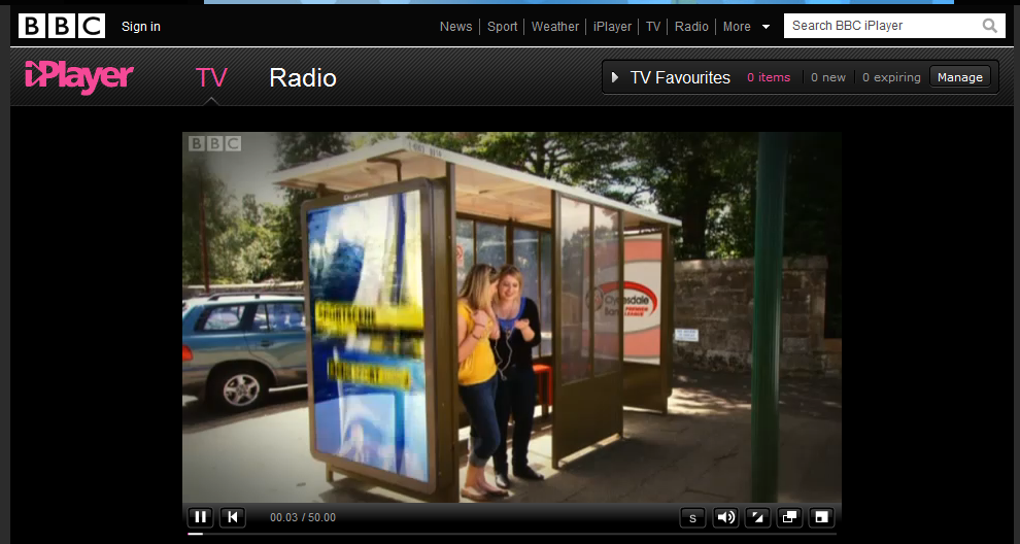
Another major advantage is the software’s minimal impact on your internet speed. In our testing, streaming HD content on BBC iPlayer remained smooth and buffer-free, even during peak hours. You can skip, rewind, and pause without delays—just like you would if you were in the UK.
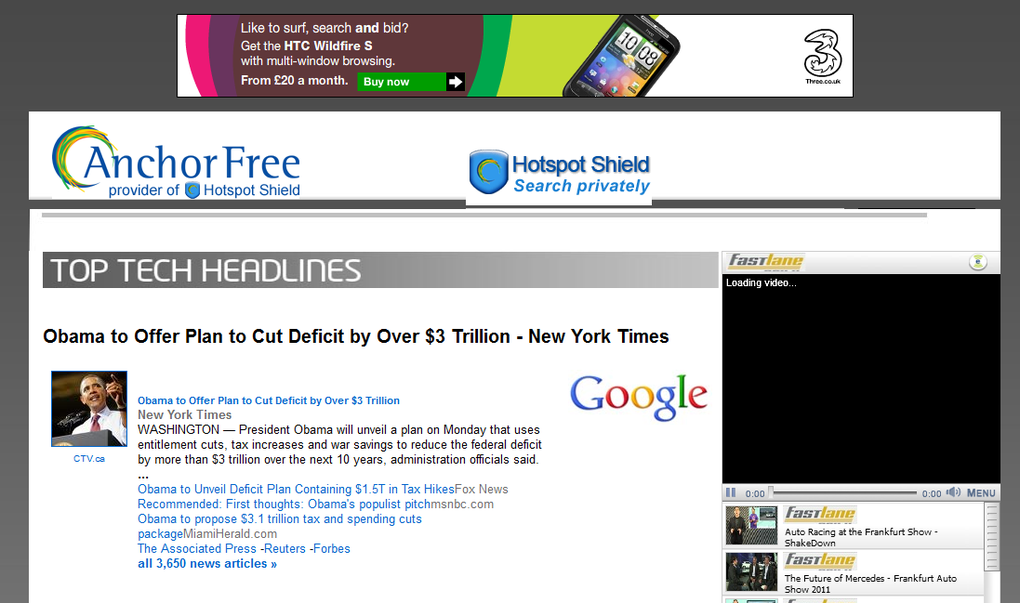
The interface is clean and distraction-free, with no complex settings to navigate. Additionally, Expat Shield enhances your online privacy by offering options to disable Google tracking during searches, helping you maintain anonymity while browsing. While the free version includes an ad banner at the top of your browser, it’s non-intrusive and can be dismissed with a single click.
Although the banner reappears on new pages, it doesn’t interfere with your streaming experience. Overall, Expat Shield delivers on its promise: secure, fast, and free access to UK TV—without the hassle of complicated setup or subscription fees.
How to Install and Use Expat Shield on Windows, Mac, Android, and iOS
Getting started with Expat Shield is straightforward, though the installation process is slightly longer than average due to additional components. First, download the software from the official website. During installation, you’ll be prompted to install a browser toolbar—this is optional and can be declined if you prefer a cleaner setup. Once installed, launching the app opens your default browser with a confirmation message indicating a successful connection to a UK server.
To use Expat Shield, simply navigate to bbc.co.uk/iplayer or itv.com in your browser. If the connection is active, you’ll be able to browse and stream content without any restrictions. The software automatically handles the IP routing, so there’s no need to manually select servers or configure settings. For users who want to disconnect, double-click the desktop shortcut to return to the main panel and click “Disconnect.” This feature is especially useful if you’re switching between streaming and regular browsing.
Expat Shield is compatible with Windows 7 and later, macOS 10.12 and above, Android 5.0+, and iOS 10.0+. The mobile apps are lightweight and optimized for on-the-go streaming. Whether you're watching on your laptop, tablet, or smartphone, the experience remains consistent and reliable. The software updates automatically, ensuring you always have the latest security patches and performance improvements. With its cross-platform support and intuitive design, Expat Shield makes accessing UK content accessible to users of all technical skill levels.
Pros and Cons of Expat Shield – A Balanced Review
Pros
- Free to use with no hidden subscription fees or paywalls.
- Fast and stable streaming for BBC iPlayer and ITV, with minimal buffering.
- Automatic UK IP routing—no manual server selection needed.
- Lightweight and easy to install across Windows, Mac, Android, and iOS.
- Enhanced privacy features including Google tracking protection.
- Simple browser integration with instant connection confirmation.
- Automatic updates ensure security and performance improvements.
Cons
- Ad banner in browser appears on every new page, though it’s easy to dismiss.
- Occasional IP misassignment (e.g., US instead of UK) reported by some users.
- No dedicated customer support for free users (limited to FAQs and forums).
- Only optimized for UK content—not ideal for accessing other regional streaming services.
- Toolbar installation prompt may feel intrusive to some users.
Frequently Asked Questions (FAQ)
Is Expat Shield really free to use?
Yes, Expat Shield is completely free for all users. There are no subscription fees, trial periods, or premium tiers. You can access BBC iPlayer, ITV, and other UK-based services without paying a single penny. The only trade-off is a non-intrusive ad banner that appears at the top of your browser.
Does Expat Shield work on mobile devices?
Yes, Expat Shield offers native apps for both Android (5.0+) and iOS (10.0+). The mobile versions are optimized for streaming and provide the same UK IP routing as the desktop version.
Can I use Expat Shield to access other streaming services?
Expat Shield is specifically designed for UK-based platforms like BBC iPlayer and ITV. While it may work with other services, it’s not optimized for them. For broader geo-unblocking, consider a more versatile VPN service.
Why does Expat Shield sometimes assign a US IP instead of a UK one?
The developer, AnchorFree, is based in the US, which can occasionally lead to IP misassignment. This is rare and usually resolved after a reconnection. If you experience this consistently, try restarting the app or switching to a different server if available.
Is Expat Shield safe and secure?
Yes, Expat Shield uses encryption to protect your data and offers privacy features like Google tracking protection. While it’s not a full-featured enterprise VPN, it’s safe for casual streaming and browsing.
Final Verdict: Is Expat Shield Worth Downloading?
If you’re an expat, traveler, or digital nomad who misses British TV, Expat Shield is one of the best free tools available. It delivers reliable access to BBC iPlayer and ITV with minimal setup and no cost. The software is secure, fast, and easy to use across multiple platforms.
While the ad banner and occasional IP issues are minor drawbacks, they’re far outweighed by the benefits of free, unrestricted UK streaming. For those who value simplicity, performance, and privacy, Expat Shield is a must-have. Don’t miss out—download Expat Shield today and enjoy your favorite UK shows from anywhere in the world.







